Odoo POS Android Wrapper
A dedicated Android app for running Odoo POS on Android terminals. No IoT box necessary.
Run your Odoo POS in an Android app built for the way retail terminals are used.
The BK Touch POS Wrapper gives you a dedicated place to open your Odoo POS, configure its address, and access diagnostic logs when you need support. Our latest version is available as a direct APK download. Designed and tested for the BK Touch A8 Duo Android POS. No IoT box necessary.
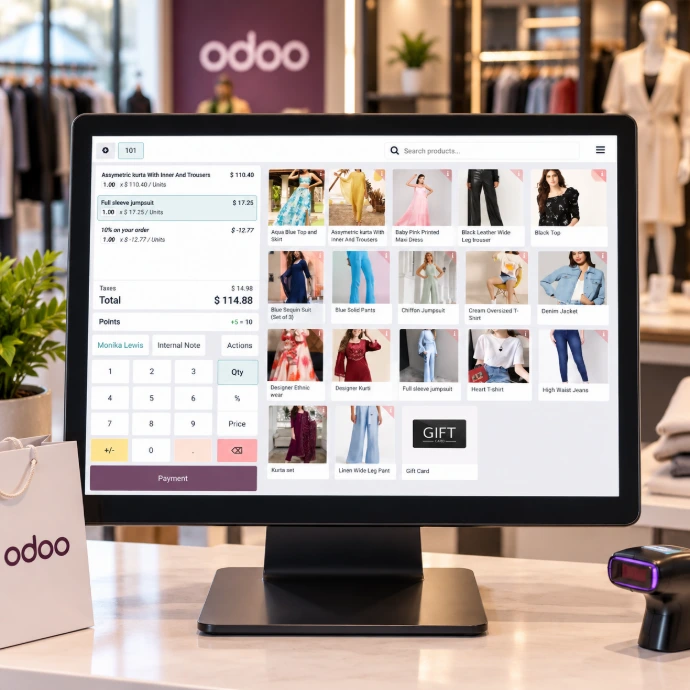
Made for the BK Touch A8 Series POS
The Odoo POS Android Wrapper is built for the BK Touch A8 POS. It opens your Odoo POS in a dedicated app, with a configuration screen for your Odoo address and built-in diagnostic logs to help troubleshoot issues. Designed for businesses using Odoo on the A8, it provides a straightforward way to set up the terminal and get support when needed.
Supported Hardware
No IoT box necessary
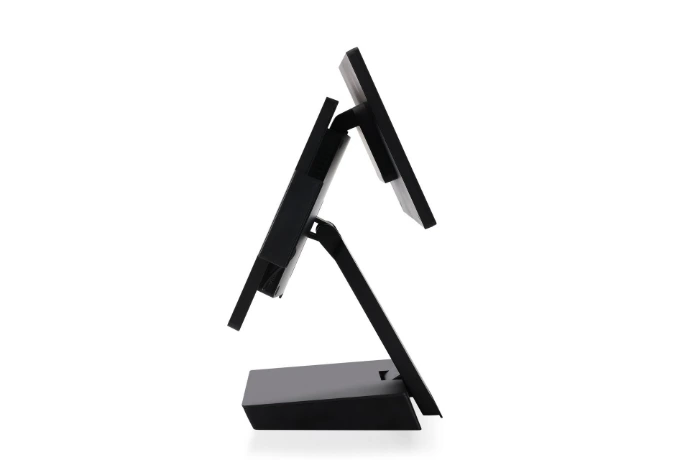
Integrated Customer Facing Display
Integrated second display on the BK Touch A8 Duo
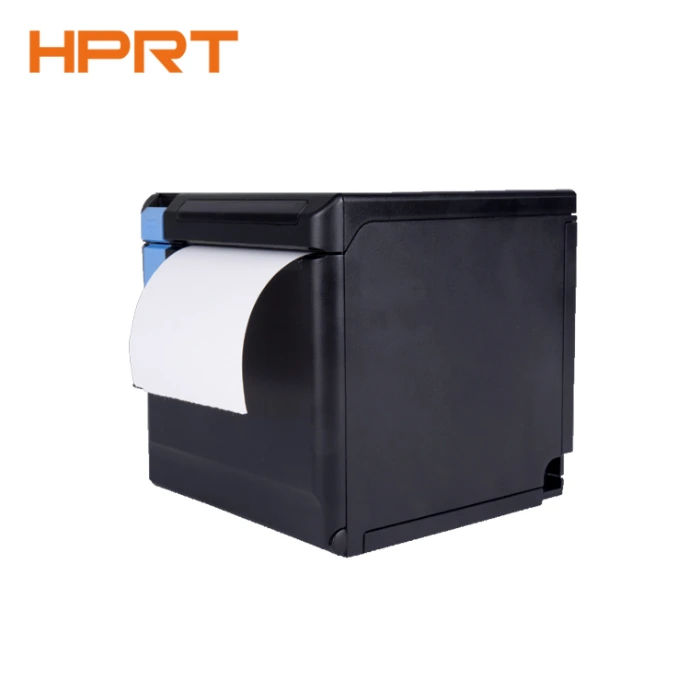
ESC / POS Receipt Printer
Compatible with any Espon Standard Code for Point of Sale (ESC / POS) 80mm receipt printer
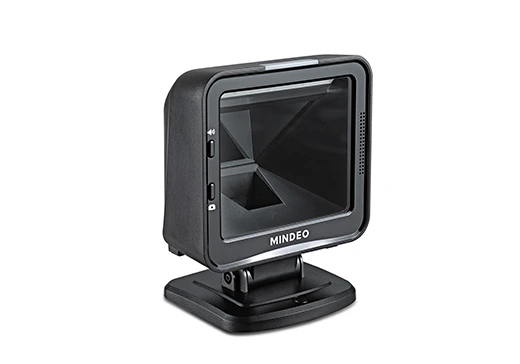
HID Barcode Scanner
Compatible with any Hardware Input Device (HID) barcode scanner
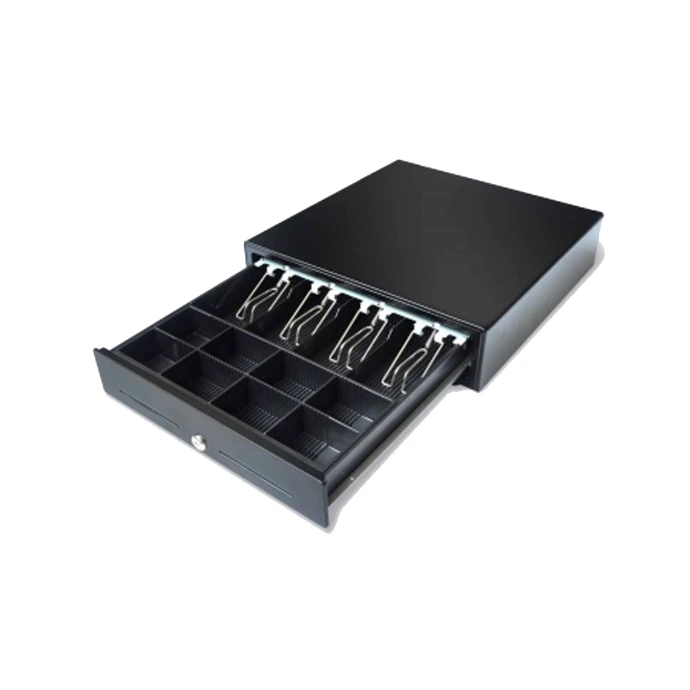
Cash Drawer
Support directly connected cash drawers via RJ11 connector
Built for day-to-day POS use
Simple configuration
Set the Odoo address used by your terminal from the app’s configuration screen.
Diagnostics when you need them
View logs by date and save a selected day’s log as a plain text file to share with your support team. Each exported log identifies the wrapper version.
A clear release history
See the version installed on your terminal and check this page for the latest download and release notes.Download and install
1
Download
Download the APK onto your Android terminal.
2
Install
If Android asks for permission, allow your browser or file manager to install apps from this source.
3
Configure
Configure the wrapper to your Odoo Database and select your POS Hardware
4
Launch
Once the wrapper is configured, tap Check & open POS to launch your Odoo Point of Sale
Configuration Wizard
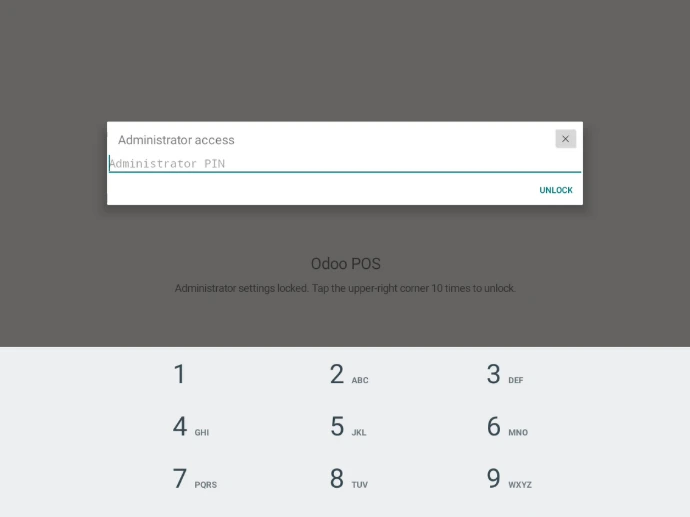
1. Set Administrator PIN
Create a 6 to 12 digits PIN to protect the wrapper’s configuration. You’ll use it when you need to change the wrapper's configuration later, keeping your settings and credentials away from unauthorized users.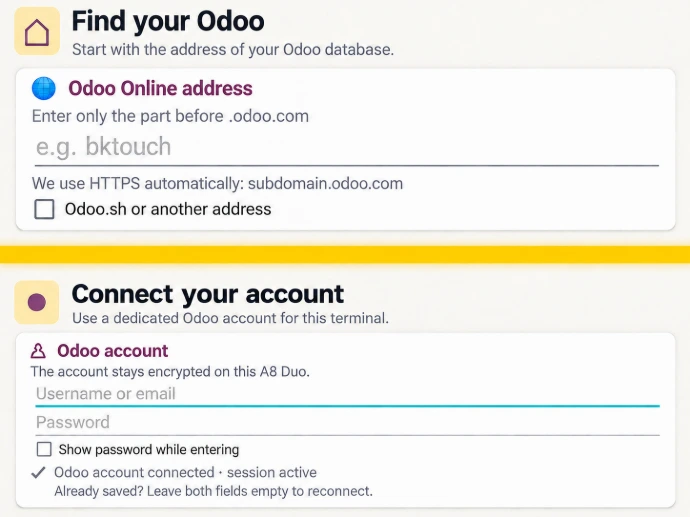
2. Connect to your Odoo Database
Enter your Odoo database address and Odoo user credentials. The wrapper will use this connection to your Odoo database to find your available Odoo Point of Sale configurations.
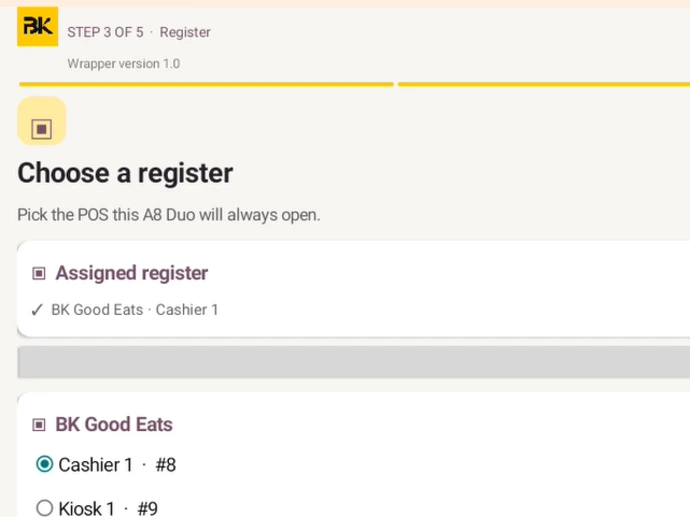
3. Select your Odoo Point of Sale
Choose your configured Point of Sale in Odoo you want this Android POS Terminal to run. Make sure IoT is disabled, we don't need it for Android POS.
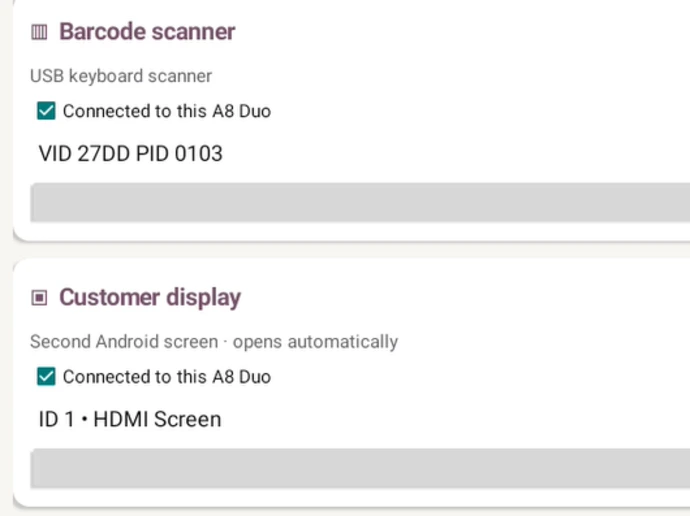
4. Enable your POS devices
Turn on the devices connected to this terminal that you want to use with the POS. This includes Receipt Printer, Barcode Scanner, Cash Drawer, and the Customer Facing Screen. You can test all of your devices. No IoT box necessary.
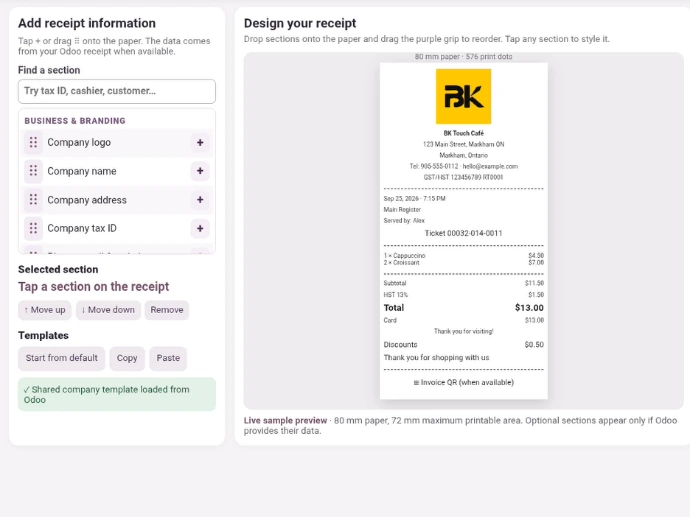
5. Design your receipt.
Set up how your printed receipt should appear using the visual editor.
What's new
Release notes
Sep 26, 2026 Version 1.0.0 Released
Sep 26, 2026 Version 1.0.1 Added diagnostics for the Receipt Studio startup issue.
Sep 26, 2026 Version 1.0.2 Expanded editor diagnostics and reduced display resource use while opening Receipt Studio.
Sep 26, 2026 Version 1.0.3 Improved error reporting to identify why the editor could not open.
Sep 26, 2026 Version 1.0.4 Fixed the Receipt Studio startup error; editor access was confirmed on the A8 Duo.
Sep 26, 2027 Version 1.0.5 Added Test print in Receipt Studio and the wrapper version to every app startup log entry.
Download the latest version Odoo POS Android Wrapper
Version 1.0.5